


Save A Lot
4.51.16K Reviews
App Specs
- Version
- 1.9.1
- Updated On
- License
- Free
- Downloads
- 500,000+
- Developer
- Moran Foods
- Categories
- Food & Drink
- Platform
- Android, iOS
Screenshots
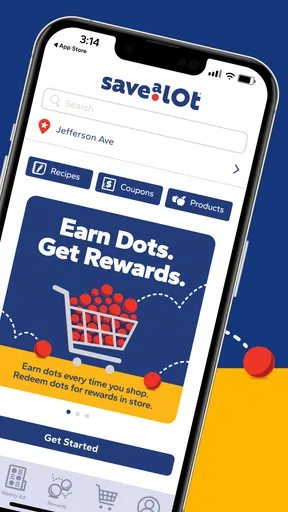
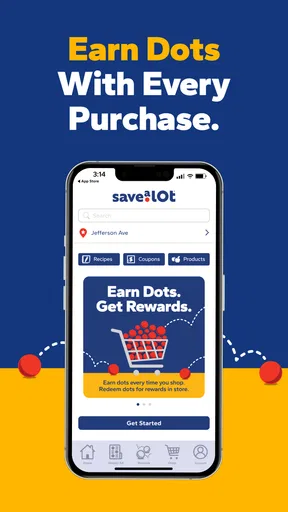
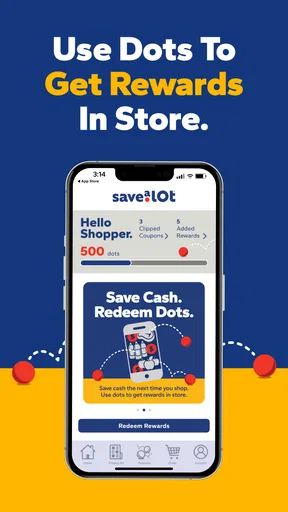

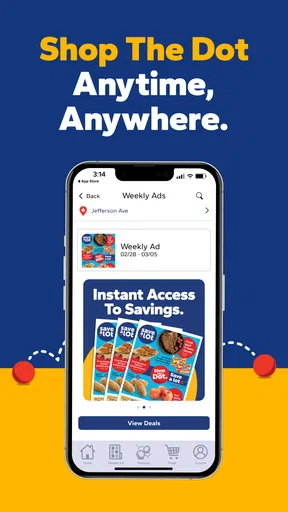
 Analysis by AppCompare
If you are trying to spend less on groceries without turning every shopping trip into a research project, Save A Lot is worth a look. I approached it as a first-time user would: install it, figure out what it actually offers, and see whether the saving tools fit into an ordinary food shop. The app comes from Moran Foods and sits in the Food & Drink category, with a free download and a Mature 17+ content rating.
Its central idea is straightforward: give shoppers more ways to find rewards and reduce the cost of buying food. That sounds simple, but the useful question is whether the app helps before, during, and after a real visit to the store. In my experience, its value depends less on spending a long time browsing and more on building a small routine around it.
What to expect before your first shopping trip
Save A Lot is best understood as a companion for people who already shop at Save A Lot rather than as a general grocery-price comparison tool. That distinction matters. If you want one place to compare every supermarket in your area, this is not designed for that job. If you regularly visit the chain and want to check available saving opportunities before buying, the app has a much clearer purpose.
The first impression is shaped by its promise of rewards and additional ways to save, but I would not treat that as a guarantee that every basket will become dramatically cheaper. Grocery savings usually depend on what you buy, what offers are available, and whether you remember to use the relevant benefit at the right point. The app can make those opportunities easier to notice; it cannot make an unsuitable promotion useful for your household.
That is why I recommend approaching it with one specific shopping goal. Instead of opening it and scrolling without a plan, think of the next meal or grocery run you already intend to make. A short list of planned purchases gives the app a practical test: can it help me spend less on this trip, or at least make the store’s reward options easier to understand?
The app has attracted an average rating of 4.5 from around 12 thousand ratings, with roughly 1.2 thousand written reviews. It has also passed half a million installs, which suggests that it is not an obscure experiment. Those figures do not replace personal testing, but they do indicate that many shoppers have found enough value to keep it installed.
One detail I would keep in mind is the age label. Save A Lot is marked Mature 17+, so it is not presented as a children’s shopping app. For an adult managing household groceries, that is unlikely to affect everyday use, but families should still pay attention to the rating when deciding which device or account should carry it.
Worth Reading Before You Choose

Flipboard Shows What News Apps Must Do Beyond the Feed

Switching to Android Auto Means Rethinking Your Driving Routine

Google Calendar Makes a Crowded Week Easier to Manage

Ludo King Makes the Most of the Minutes Between Plans

Baby Panda World Brings Quick Play to Modern Phones, but Its Game Library Feels Busy

ESPN’s Live Game View Makes Following Close Games Easier
Who will get the most from it
I see the strongest fit for regular shoppers who visit the same Save A Lot location, plan several meals at home, or are trying to make a limited grocery budget stretch further. It can also suit someone who often forgets to check rewards until after shopping, because placing the saving step inside a dedicated app creates a visible reminder.
It is less compelling for a person who shops at many different chains and wants a single cross-store solution. It may also feel unnecessary if your trips are very small and spontaneous, especially when you buy only a few items and do not want an extra preparation step. In that situation, the time spent checking the app can outweigh a modest saving.
Getting set up without making the process harder
The app is free, which removes the biggest barrier to trying it. I would install it before the day of a major shop rather than while standing in a crowded aisle. That gives you time to look around calmly, understand where the reward information lives, and decide whether it is useful for the products you actually need.
Save A Lot is currently at version 1.9.1 and requires Android 10 or later. That requirement is important for anyone using an older Android phone: check compatibility before planning your shopping routine around the app. On a supported device, keeping the application updated is sensible because reward and store-related tools can depend on the current release working correctly.
During setup, I would start with the minimum information needed to begin. Avoid treating the first launch as a reason to explore every screen at once. The more useful approach is to identify three things: where your shopping or store context is selected, where available savings are shown, and where rewards become usable. Once those areas are clear, the rest of the interface becomes easier to interpret.
There is also a practical privacy habit worth adopting. When an app is connected to shopping activity, I prefer checking each request and account prompt rather than approving everything automatically. That is not a criticism of Moran Foods; it is simply good practice for any retail application. If a setup screen is unclear, pause and read it instead of rushing toward the home screen.
A simple setup routine I recommend
Install Save A Lot before your next planned grocery trip and confirm that your device meets the Android requirement.
Open the app when you have a few quiet minutes, then locate the area that presents current saving or reward opportunities.
Choose one planned purchase category to investigate rather than trying to evaluate the whole store at once.
Before leaving home, note the offer or reward details that matter to your trip and check any conditions shown in the app.
After shopping, open the app again and verify whether the expected reward or saving action was completed.
This routine is deliberately modest. The first successful experience should not be “I mastered every feature.” It should be “I found one relevant saving opportunity and understood what to do with it.” That is enough to decide whether the app deserves a permanent place on your phone.
Reaching the first useful result
For me, the first meaningful success with a grocery rewards app is not simply finding an attractive offer. It is connecting that offer to something I was already going to buy. If a saving opportunity matches an item on your list, it has a better chance of helping your budget than an offer that encourages an unplanned purchase.
Imagine a weekday evening when you are preparing a family dinner and need several basic ingredients. Before going to the store, open Save A Lot and look for relevant reward information. If something matches your list, read the details carefully and make a short note of what needs to happen. Then shop normally instead of adding products merely because the app highlights them.
This is one of the less obvious trade-offs: rewards can reduce the price of a planned purchase, but they can also tempt you to buy more than planned. I use the app as a filter, not as a shopping list generator. The question I ask is, “Would I buy this anyway?” If the answer is no, the apparent saving may actually increase the total bill.
Another useful habit is to check the app before finalizing your list, not after arriving at the store. That timing gives you a chance to substitute ingredients or adjust a meal without making a rushed decision in the aisle. It also makes the app part of meal planning rather than a last-second search for discounts.
When you complete the relevant action, do not assume that seeing an offer means the saving has already been applied. Read the wording shown in the app and follow the stated steps. Retail rewards often depend on timing or eligibility, and a few seconds spent checking the instructions can prevent disappointment later.
I also recommend keeping the first test small. Use one or two relevant opportunities on an ordinary trip, then compare the experience with your usual routine. Did the app save time, money, or both? Did you remember what to do without repeatedly reopening it? Those answers are more useful than judging it by the number of offers displayed.
How I would use it for a monthly budget
For a household trying to control food spending, the app can work best as part of a weekly planning cycle. At the start of the week, decide which meals are already likely to happen. Then use Save A Lot to look for savings that fit those meals, while keeping your original budget visible.
At the end of the week, review the result honestly. Separate money saved on necessary purchases from money spent on additional items because they appeared attractive. This simple distinction prevents reward chasing from becoming a disguised form of impulse shopping.
A second advanced habit is to focus on repeatable categories. If your household regularly buys breakfast items, packed-lunch ingredients, or basic pantry food, checking those areas first is more efficient than browsing randomly. The app becomes more useful when it supports a known routine instead of demanding attention every time you shop.
Where new users may become confused
The main source of friction is likely to be the difference between discovering a reward and successfully using it. Those are separate steps, and a first-time user may assume that opening an offer is enough. I would always look for the action required after discovery and confirm that the reward is associated with the intended shopping situation.
Another possible confusion is expecting Save A Lot to behave like a universal coupon wallet. Its purpose is tied to the Save A Lot shopping experience, so someone looking for offers from unrelated supermarkets will probably find the scope too narrow. That is not a flaw when you are a regular customer of the chain, but it is a clear reason to skip the app if your shopping is spread across many retailers.
It is also easy to overestimate the value of a reward before checking your actual basket. A promotion can look appealing in isolation and still be irrelevant to your meals, dietary needs, or household size. I would rather use one modest, well-matched saving than chase several offers that lead to unnecessary purchases.
Keep your expectations realistic if you shop in a hurry. The app adds a digital step to a task that can otherwise be completed by walking into the store and paying. For a large planned shop, that step may be worthwhile. For a quick emergency purchase, it may not be. This is the kind of exception that does not show up in a short store summary but matters in daily use.
People who share shopping duties should agree on one routine. If several household members use different accounts or check different information, it becomes harder to know whether a reward was noticed or completed. A shared list and a clear decision about who checks the app can prevent duplicated effort.
When another option may be better
If your priority is comparing total prices between supermarkets, a local grocery-comparison service or each retailer’s own application may suit you better. If your priority is collecting paper coupons or planning meals in detail, a dedicated budgeting or meal-planning tool may be more appropriate. Save A Lot is strongest when the goal is narrower: making the Save A Lot shopping experience more rewarding and easier to review.
I would also skip it if you strongly dislike account-based shopping tools or do not want to spend time reading reward conditions. The free price makes experimentation easy, but free does not mean frictionless. Your time and attention are part of the cost, especially when the expected saving is small.
What to do after the first successful trip
Once you have used one reward or saving opportunity successfully, the next step is not to explore everything. Instead, decide whether the app fits your normal shopping rhythm. Open it before trips that are planned enough to benefit from preparation, and ignore it when a rushed purchase makes the extra step impractical.
I would keep a short mental record of which types of offers are genuinely useful to your household. Over time, that makes the app faster to use because you know where to look first. It also helps you avoid the common mistake of treating every highlighted deal as equally valuable.
Version 1.9.1 gives the app a current, defined release to work with, while the free model makes it easy to keep testing without a purchase decision. Still, I would judge it by repeated usefulness rather than by the first attractive screen. A rewards app earns its place when it helps you make better planned purchases, not merely when it gives you more notifications or more reasons to browse.
My overall view is positive but practical. Save A Lot is a sensible choice for regular Save A Lot shoppers who want a dedicated way to look for rewards and savings before buying food. It is particularly useful when paired with a shopping list and a fixed budget. The best results come from matching rewards to purchases you already need, not from shopping around the offers.
For first-time users, I would begin with one ordinary trip, one clear shopping goal, and a few quiet minutes of preparation. If the app helps you complete that process without confusion, it can become a helpful part of your grocery routine. If you rarely shop at Save A Lot or prefer a single tool covering many retailers, you will probably get more value elsewhere. In my experience, that clear fit is what makes Save A Lot worth trying: it focuses on a specific store relationship instead of pretending to solve every food-budget problem at once.
Pros
- Weekly deals can help reduce grocery costs.
- Store-brand products offer affordable alternatives to national brands.
- The app makes it easier to check nearby store information.
- Simple layout helps users find basic shopping details quickly.
- Useful for planning trips around promotions and available products.
Cons
- Deals and product availability may vary by store.
- Some locations may offer limited selection or inventory.
- The app may not show every in-store product or price.
- Savings can depend on joining or using the rewards program.
- Store information may change and require occasional updates.
FAQs for Save A Lot
What is Save A Lot, and what can I use the app for?
Save A Lot is designed to help shoppers find information about participating Save A Lot grocery stores, including nearby locations, weekly specials, available products, and store-related details. Depending on your area and the current version of the app, you may also be able to browse deals, create a shopping list, or plan a visit. Features can vary by location, so check your local store information before relying on the app for a specific product or promotion.
Can I use Save A Lot to find weekly deals and lower grocery costs?
Yes, one of the main reasons to use Save A Lot is to look for current grocery promotions and weekly savings before visiting a store. The app or related digital services may display sale items, special offers, and other ways to plan a more affordable shopping trip. However, prices, availability, expiration dates, and participating locations can differ, so confirm the details with the selected store before making a purchase decision.
Does Save A Lot show nearby stores and their opening hours?
Save A Lot can help you locate stores in your area and review useful information such as addresses, telephone numbers, directions, and business hours. This is especially convenient when you are traveling or comparing nearby locations. Store schedules may change during holidays, renovations, or special events, and not every location necessarily offers identical services. It is wise to verify important details directly with the store.
Does Save A Lot support online grocery ordering or delivery?
The availability of online ordering, pickup, or delivery depends on your location and on the services supported by the selected Save A Lot store or its delivery partners. Some users may only receive store information and deal browsing, while others may see shopping or fulfillment options. Before downloading, remember that delivery areas, fees, minimum orders, substitutions, and available inventory can vary significantly between stores.
Is Save A Lot free, and what permissions or personal information might it require?
Save A Lot is generally available to download without an upfront charge, although normal mobile data usage may apply and purchases made through the service are separate. The app may request location access to find nearby stores, as well as notification or account permissions for personalized offers and updates. Review the app-store privacy information and permission requests, and disable access you do not need.


